How to Find Your Local Union Bylaws
Finding your local union bylaws can be hard — but it doesn’t have to be.
If you’ve ever wanted to know more information about your rights as a union member, when your local union elections are to take place, or how general membership meetings should be held, chances are you’ve tried to find your bylaws.
Bylaws should be easy to get directly from your local, but far too often, they’re not. Asking for your local bylaws might raise eyebrows from your local officers. Or your union rep might drag their feet and keep you waiting for weeks or even months.
Every union member has the right to read their local bylaws. If you feel that your local is trying to prevent you from reading your bylaws, contact EW4D for help.
Luckily, union bylaws are public information by law. Just like LM-2 financial reports, local unions are required to submit updated bylaws to the Office of Labor-Management Standards (OLMS). However, accessing this information can be tricky. Read this article for a step-by-step guide to finding your bylaws.
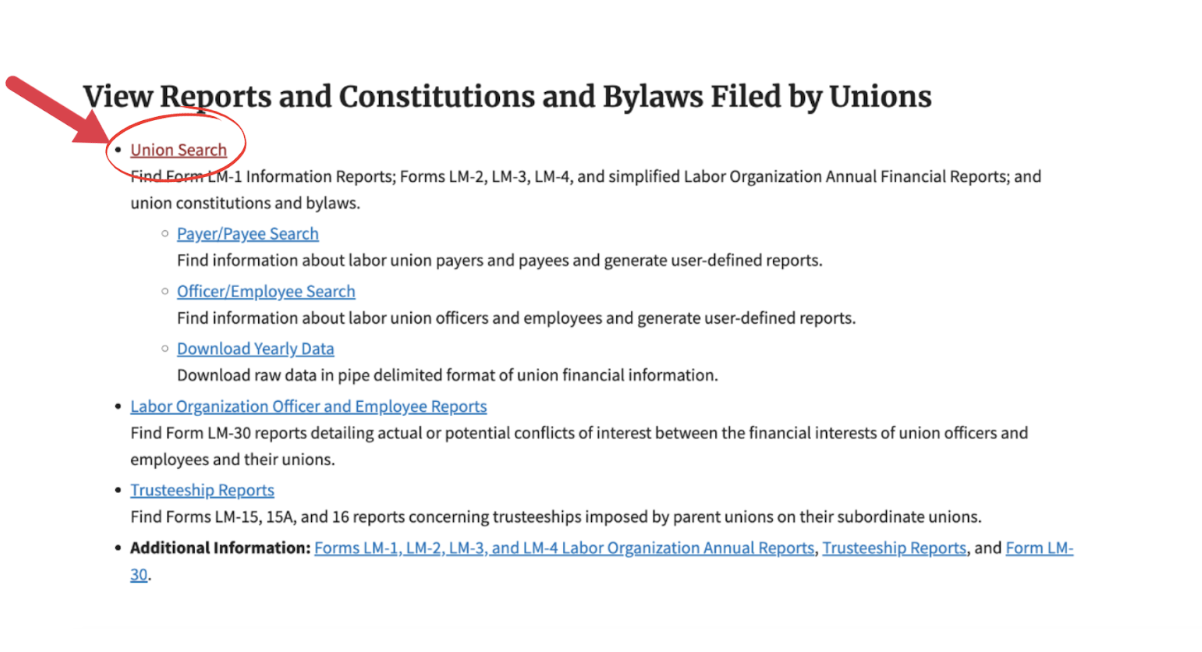
Step 1: Visit the OLMS Online Public Disclosure Room.
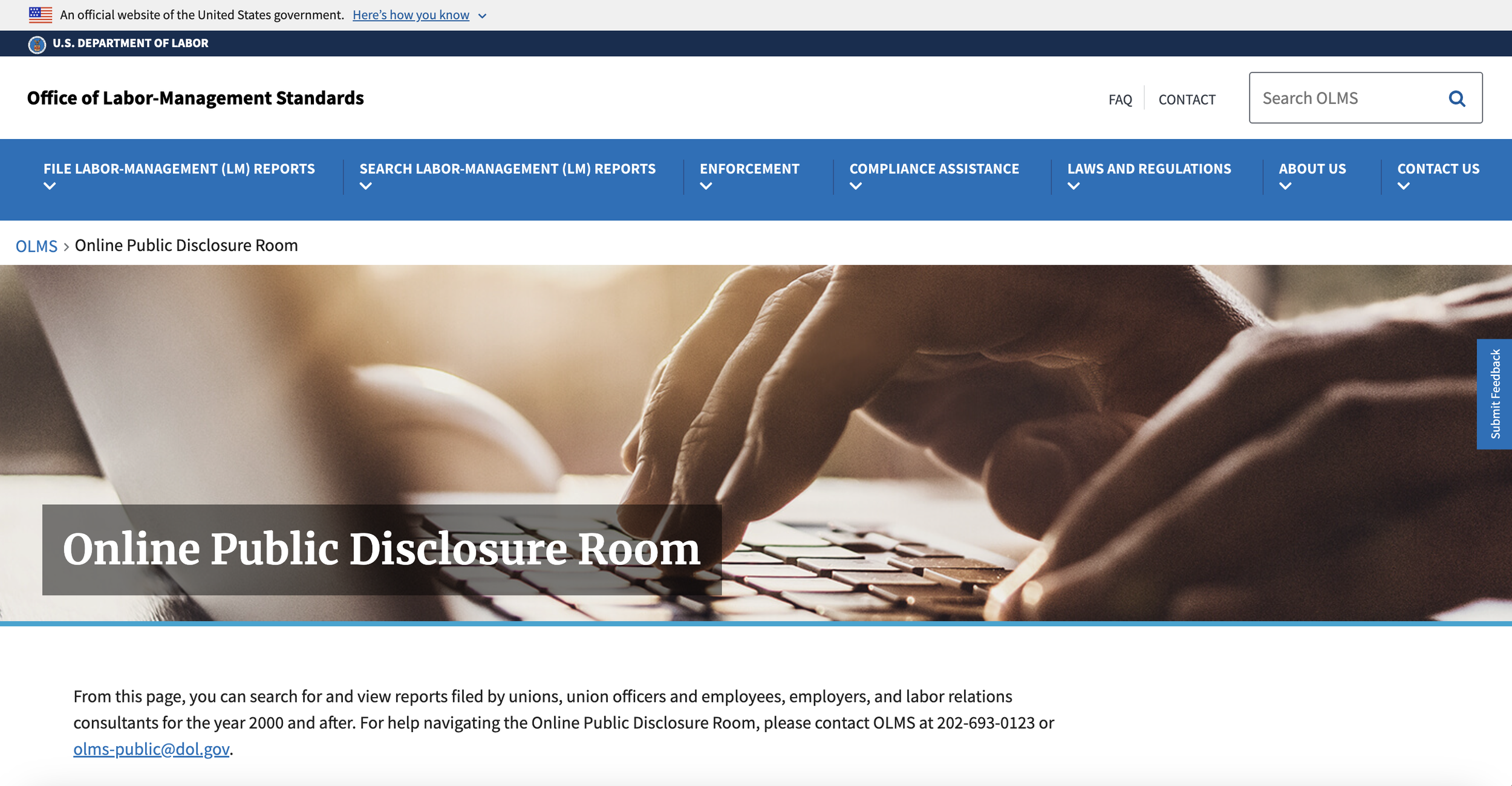
Step 2: Scroll down and click “Union Search”. This will lead you to a new page.
Step 3: Wait about 30-60 seconds for the page to fully load. Some elements of the page take longer to load then others, and you might have to be more patient than you normally would with other websites.
Step 4: Select your international union official abbreviation (i.e. UE, RWDSU, UAW) from the dropdown list called “Abbr”. You can also type the full name (NOT the abbreviation) of your union under “Union Name.”
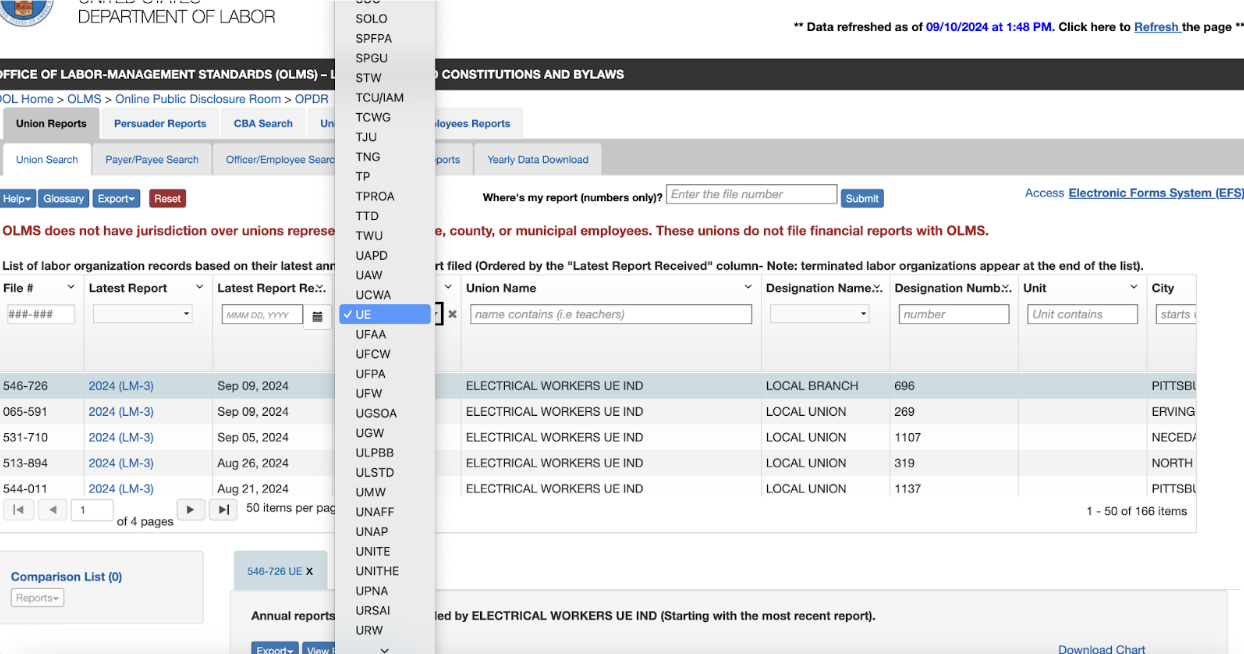
or

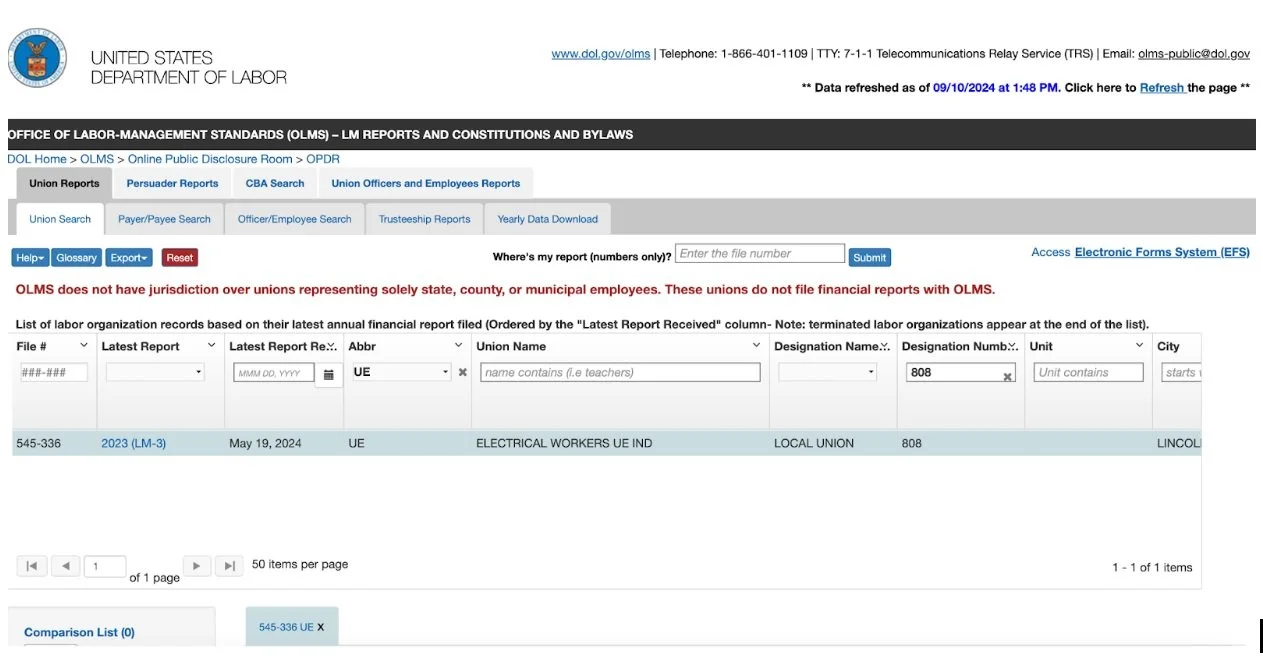
Step 5: After you’ve found your international, type the name of your local in the box under “Designation Number”. For example, if you’re looking for UE Local 808, your screen would look like this.
Step 6: Scroll down to find the section that says “LM-1, Constitution Bylaws and Other Attachments”. Look in the “Description” column for anything that says “Constitution, Bylaws and Other Attachments”. Then, click on the blue link under “File Name” to download the file.

Step 7: Congratulations! You’ve downloaded the bylaws. You can now open the file you downloaded and view them.
You can see the last time updated bylaws were sent to OLMS in the “Received” column. Bylaws rarely change, but If you think your bylaws may have changed without being updated in OLMS, it’s time to contact your local.
What now?
If you’ve tried to find your bylaws before, it might be because there’s a problem in your local. Is there an election coming up, but members haven’t been notified? Have general membership meetings disappeared? Are shop stewards only being appointed by the local, but you and your coworkers want to start holding steward elections?
If this sounds like your local, contact EW4D to get help. You can take on these problems, but only if you and your coworkers are organized. EW4D believes in transparent, democratic, and powerful unions. Join us!